Tesla Grok Voice Commands: Climate, Navigation, Music and Vehicle Controls
- Michael Jones
- 483 views
Grok handles 119 of 172 tested Tesla voice commands, covering climate, navigation, reminders, media and selected vehicle functions.
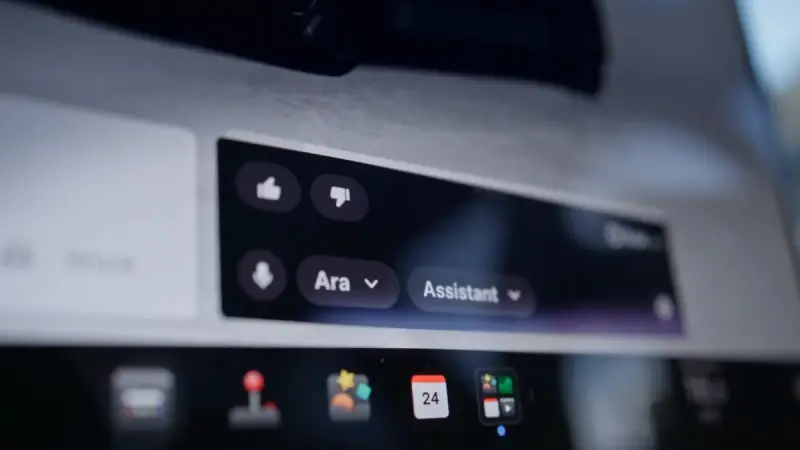
Tesla’s Grok assistant can now take on many routine cabin tasks, from setting the temperature to finding a place to eat. In a test of 172 voice commands by Tesla owner @LifeMiddie, Grok handled 119. The other 53 still need Tesla’s older voice-command system, activated with the microphone button.

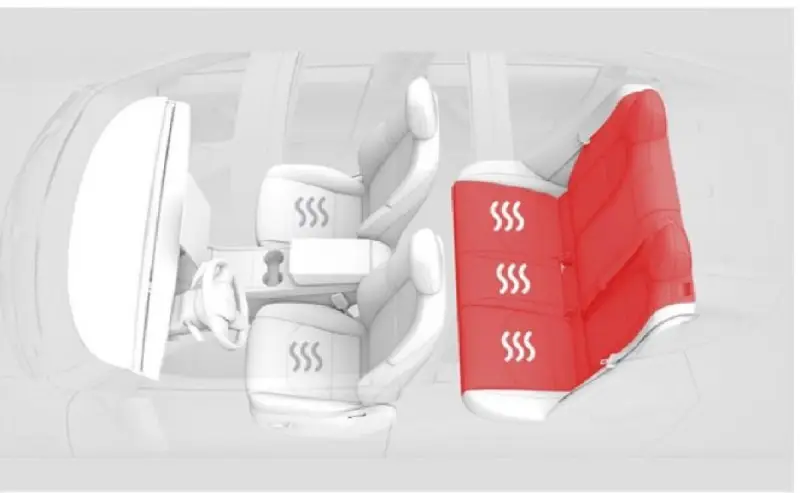
The count shows how far the assistant has moved beyond answering questions, while also making its limits clear. Grok can manage a range of climate settings, navigation tasks, media and selected vehicle controls. Some functions still need the touchscreen or the older voice interface, and rear seat heating isn’t among the controls it can adjust.
Availability and setup
Grok arrived in Tesla vehicles in the U.S. with software update 2025.26 as a conversational assistant. Navigation commands followed in the 2025 Holiday Update, letting drivers describe a destination without reciting an exact address. The Spring 2026 Update added the “Hey Grok” wake phrase and location-based reminders. This year’s Summer Update brought control of functions such as climate, seat heating and settings.

The assistant is available across North America, Europe, Australia, and most of Asia and the Middle East. Using it requires a Tesla with an AMD Ryzen infotainment computer and either Premium Connectivity or a Wi-Fi connection. Intel Atom-equipped vehicles aren’t supported at present. Grok must also be set to its Assistant personality. The tested wake phrases included “Hey Grok” and, according to @LifeMiddie, “Hey Bro.”

Cabin comfort and climate
Climate commands are among the most practical additions. Drivers can ask Grok to set a temperature, lower the fan speed, recirculate cabin air or defrost the windshield. It can turn on Dog Mode, Camp Mode or Climate Keeper, and manage the front seat heaters. A request to heat every seat except the driver’s is also supported.
There’s a firm boundary: Grok can control heating for the driver and front passenger, but not the rear seats. If asked to change rear seat heat, it reports that those controls aren’t available to it.
Natural language works for some adjustments, too. Saying “I’m cold” raises the temperature by 3°F; “I’m hot” lowers it by 3°F. Grok can aim vents toward the driver’s face or spread airflow, sync or separate the driver and passenger temperature settings, activate the heated steering wheel and switch on Bioweapon Defense Mode.

Finding places and setting reminders
Navigation requests don’t have to start with a business name or a street address. A driver can say “I’m hungry,” ask for nearby Superchargers or request directions home. Grok can also search for Starbucks along the current route, change settings for toll roads, ferries or HOV lanes, and cancel a route.

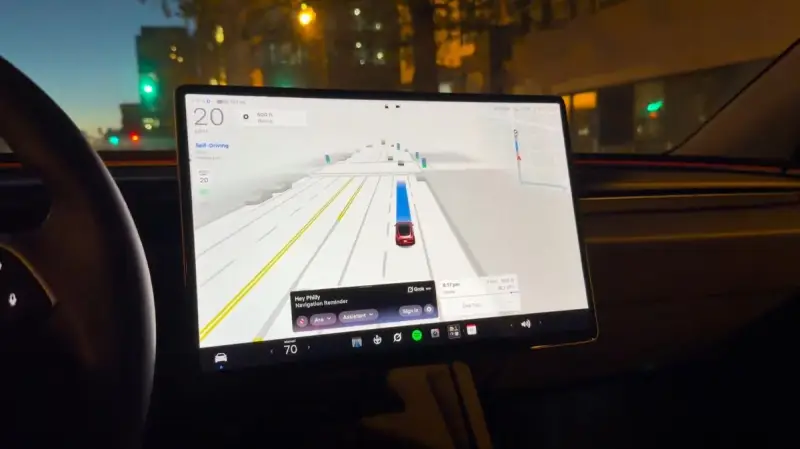
Location-based reminders make the assistant useful after a trip is underway. For example, “Remind me to charge when I get home” creates an alert for when the car is within about 1,600 feet of the destination. Reminders can be one-time or recurring; drivers can ask Grok to list them or delete them.
Calls, entertainment and apps
For calls, say “Call” or “Phone” followed by a contact’s name or number. Music requests can specify a song, artist or playlist, or use a description such as “Play the most popular song of 2001.” Grok can switch among Spotify, TuneIn, Tidal, Bluetooth, USB and radio. It can resume music that has already been paused, but it can’t pause playback itself.

The assistant can open the Browser, Energy app, Calendar, Netflix, YouTube, Tesla Arcade and Tesla Theater. It can also load a website and read an article aloud. A request such as “Load notateslaapp.com and read me the top article on the page” combines the browser and voice functions in one instruction.
Vehicle functions and remaining gaps
Grok can open a named setting, such as Steering Weight, taking the driver to the relevant menu. It can also open the glovebox or charge port door, fold the mirrors, activate Sentry Mode, save Dashcam clips, operate the dome lights and bring up the backup camera. Wiper commands include switching them off or setting them to auto. The assistant can read tire pressures and odometer information, open the owner’s manual and show release notes.
Several controls remain outside its reach. Grok can’t lock or unlock the doors, open the trunk or frunk, change air suspension ride height or acceleration mode, or activate Car Wash Mode. It also can’t adjust mirrors or the steering wheel, change display brightness, mute navigation guidance or pause music. For some unavailable settings, it can still open the appropriate screen for a manual adjustment.
Drivers can bundle compatible tasks into one request. For example, Grok can set the climate to 68, lower the fan speed and turn on the seat heaters together.
Features in development
Tesla’s owner’s manual describes hands-free text messaging through Grok, with an example request to text a family contact that the driver is on the way. That capability could arrive in an upcoming software update, though its timing isn’t confirmed here.
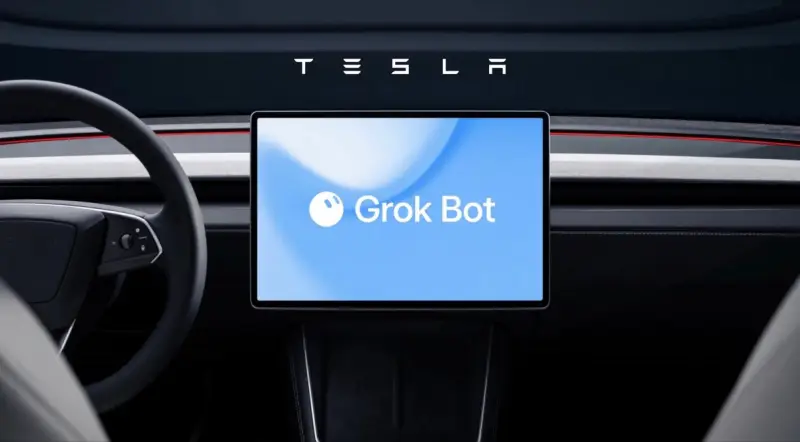
Voice controls for Full Self-Driving have also been discussed, including a request to park near a destination’s entrance. The feature hasn’t arrived yet. Tesla has also added Grok Bot, which offers AI agents for tasks such as checking email and shopping online. Update 2026.38 added Grok files to Intel Model 3 and Model Y vehicles, a possible step toward broader access for cars using older infotainment hardware.
For owners with compatible hardware, Grok already covers a wide range of everyday requests, but the 53 commands outside the test’s supported set mark where voice control still falls short. Texting, Full Self-Driving controls and wider Intel support are the areas to watch as Tesla extends the assistant’s role in the cabin.