Tesla Cybercab’s On-Screen Joystick Enables Low-Speed Parking Adjustments
- David Martinez
- 497 views
Cybercab owners can use a touchscreen joystick to reposition the steering wheel-less car at up to 2 mph, with controls designed for short moves.
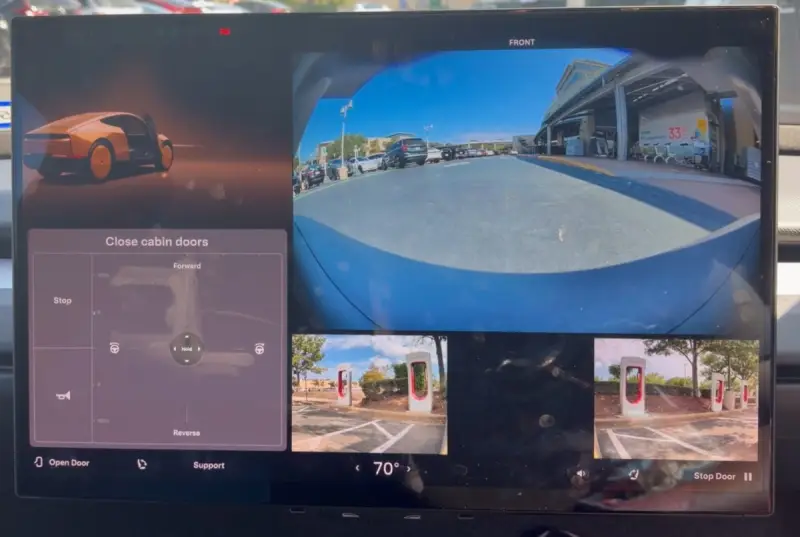
The Cybercab’s missing steering wheel and pedals don’t leave owners with no way to reposition it. Tesla has added low-speed manual controls to the car’s 21-inch touchscreen, letting a user inch it forward, reverse or steer through a joystick interface. The feature is built for small placement adjustments, rather than ordinary driving.

That distinction matters now that Tesla is taking orders from individual buyers. A control that once appeared suited to moving cars around a service area could have a more direct role in ownership: helping someone correct a parking position or bring the car closer to a curb. The interface gives the Cybercab a limited manual mode without adding conventional driving controls to its cabin.
A joystick built into the touchscreen
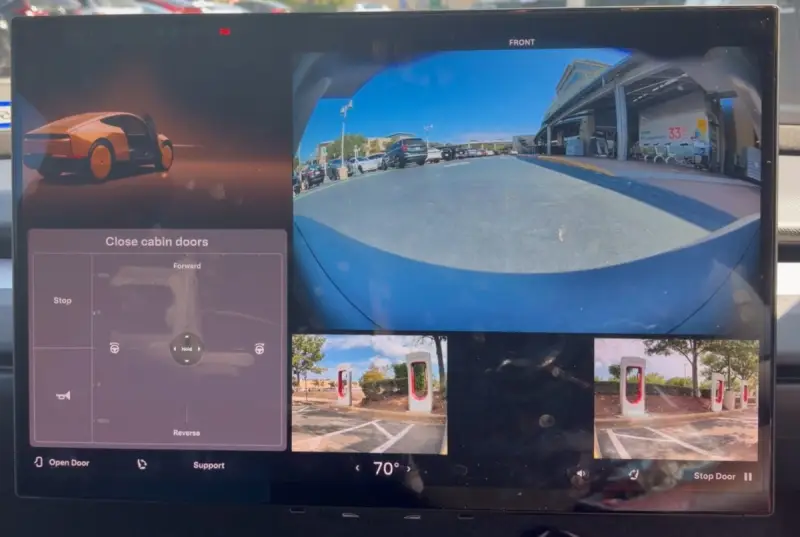
The controls occupy the left side of the large display. At the center is a circular joystick marked “Hold.” The user presses and holds it to engage the function, then pushes it upward to move forward, downward to reverse, or sideways to steer. A Stop control sits nearby, along with buttons for the horn and cabin doors.
The screen also provides views from the front and both sides of the vehicle while it moves. That gives the operator visual information around the car during these short maneuvers, rather than requiring them to rely on the direction of the joystick alone. The design puts the control and the camera views together in the cabin, where the driver can make an adjustment and watch the car’s position change.
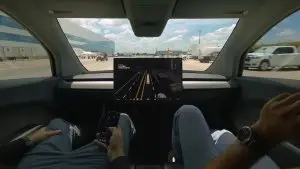
The layout was first spotted during an Austin Robotaxi ride in September. At that point, its apparent uses were practical service tasks: positioning a Cybercab on a lift, shifting it within a parking space, or loading it onto a tow truck. Opening orders to individual customers changes who might use the feature, but the basic job remains the same. It’s a way to move the vehicle a short distance when its autonomous parking or positioning leaves it somewhere inconvenient.
Short moves, with limits
Tesla’s ownership terms describe the manual function as a short-distance feature with a maximum speed of 2 mph. The controls aren’t intended for travel on public roads, and users need a valid U.S. driver’s license to operate them. The software may also limit how far the Cybercab can be moved manually, though the exact distance limit isn’t specified here.
Those restrictions make the joystick a positioning aid, not a substitute for a steering wheel and pedals. At 2 mph, it’s suited to creeping into place, not covering the distances involved in a normal trip. A user may be able to correct a tight parking position or adjust where the vehicle stops, while the car’s intended driving function remains separate from this touchscreen mode.
That division could help make a wheel-less cabin more manageable for owners. A vehicle that parks itself still benefits from a fallback for small corrections: a car might stop short of a curb, sit awkwardly in a space, or need to be moved for service. The joystick offers a direct way to address those situations. Its value will depend on how reliably the controls work in the places where owners actually need them and how clearly the distance restriction is communicated in the interface.

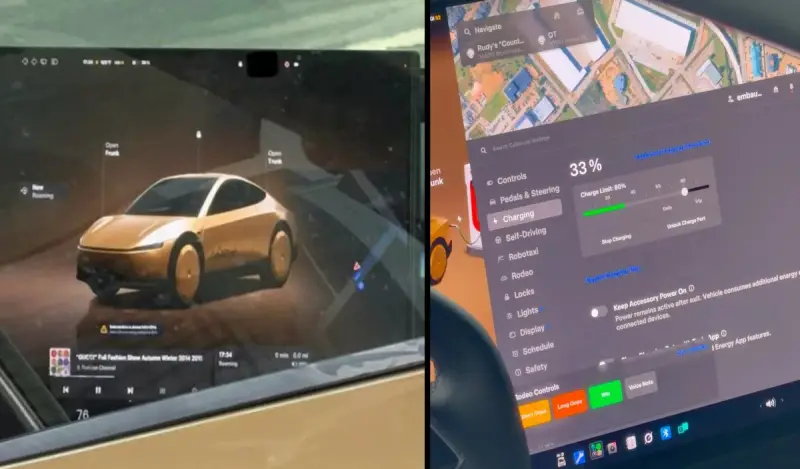
A previously displayed Cybercab provided a preview of the consumer-facing software, with a layout resembling Tesla’s Model 3 and Model Y systems. It included media apps, seat adjustments and door controls. The manual joystick could fit alongside those functions as another touchscreen tool, although the final arrangement for customer cars isn’t established by that preview.

What owners may try next
The game-style interface invites comparisons with handheld controllers, and a separate demonstration has already shown a Tesla being steered with a Nintendo Switch 2. Security researcher Matthew KuKanich sent commands through the vehicle’s CAN bus for that demonstration, after earlier experiments involving an Xbox controller and a Wii Remote. That approach is distinct from Tesla’s built-in touchscreen joystick.
Some Cybercab owners may be tempted to explore external controls, but Tesla’s ownership terms prohibit tampering with the car’s software. The terms also allow the Autonomy subscription to be suspended for that kind of modification. For owners, the practical route is the built-in system: it provides a defined way to make small adjustments, with a low speed cap and a license requirement.
The feature’s significance is less about turning a Cybercab into a conventional car and more about filling a narrow gap in a wheel-less ownership experience. Owners can nudge the vehicle into position without taking over a trip. How useful that proves will come down to the software’s limits, the camera views and how well the controls handle everyday parking corrections.