Tesla Update 2026.39.100 Caps European TAD Speed Offset at 10%
- Robert Johnson
- 988 views
Tesla’s 2026.39.100 update limits European TAD Speed Offset to 10% and resets it to zero at every start, though its release notes omit both changes.
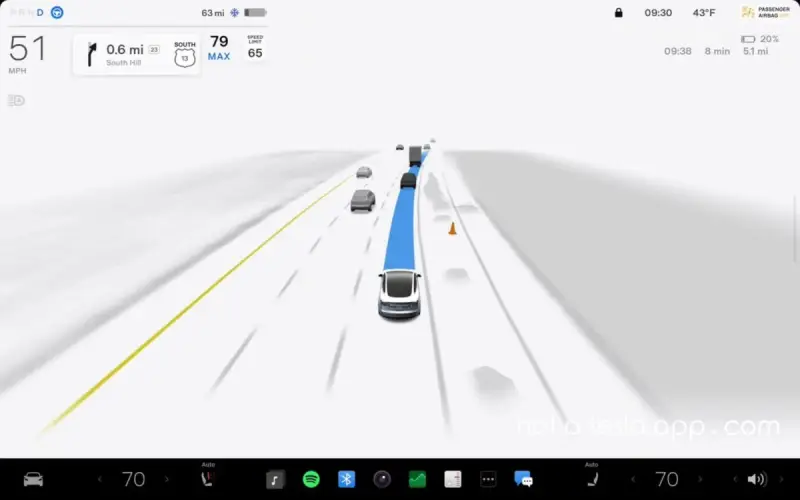
Tesla’s 2026.39.100 update changes how European drivers can set the speed of Tesla Assisted Driving (TAD): the maximum Speed Offset has fallen from 50% to 10%, and the setting resets to 0% each time the car starts. Those adjustments affect everyday use more directly than the update’s stated name change, yet they weren’t listed in its release notes.
The software package includes FSD v14.2.2.6 and changes the feature’s name from FSD (Supervised) to Tesla Assisted Driving. Tesla’s release notes describe the rename as a change to feature names and in-car text, saying it does not alter how the features behave. The newly reported Speed Offset limits complicate that description for European owners: while the driving system’s name is different, its available speed setting has also changed.

What European drivers will notice
Speed Offset lets TAD travel above the posted speed limit by a percentage selected by the driver. Before the update, European owners could set the offset as high as +50%. Version 2026.39.100 brings that ceiling down to +10%. It also clears the setting back to zero whenever the vehicle starts.
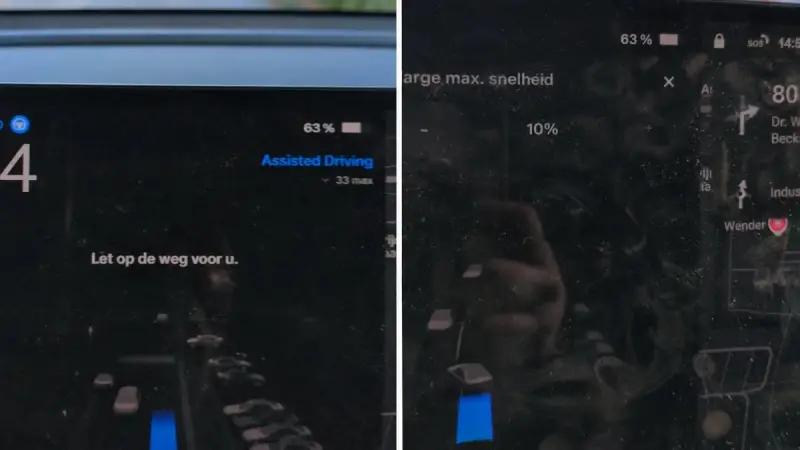
That reset makes the change practical as well as numerical. A driver who prefers an offset will need to choose it again for each trip; a previously selected value won’t carry over after a restart. At the default of 0%, the offset itself adds no extra speed above the posted limit. The cap still leaves some room to set a positive offset, but the permitted range is substantially narrower than before.
The difference may matter most to owners who had built the higher setting into their usual routine. They’ll need to check the value at the start of a drive and decide whether to adjust it, rather than assuming the previous preference remains active. The report of the change came from an owner, Addie, who said the update lowered the maximum and reset the setting. Several owners reportedly noticed the behavior only after installing the software.

Changes align with earlier conditions
The new limits match changes the Dutch RDW had approved earlier in November. The RDW had also notified other EU countries that adopted its original approval framework for bringing FSD to their roads. The software adjustments were already appearing in vehicles, but the release notes did not describe them and there had been no announcement that the rollout had begun.

That gap leaves owners with a concrete change to learn from the car’s settings rather than Tesla’s update description. Release notes are often the main guide drivers have when deciding what a vehicle software update changes. When a setting’s limit and default behavior both shift, leaving those details out makes it harder to anticipate the effect on a familiar feature.

Why the speed setting is in focus
The Speed Offset ceiling had been a central point of concern for several EU countries. France and Sweden, along with the European Transport Safety Council, had raised concerns about TAD being able to travel well above posted speed limits. Germany said it would support the feature in an upcoming bloc-wide approval vote if Tesla renamed it and capped Speed Offset at 10%.

With the new name and lower ceiling now in place, Tesla has made the two changes Germany had sought. The December vote will address bloc-wide approval, while further changes are expected before then, mainly focused on keeping drivers attentive. The available information does not specify what those additional changes will involve.

For current European owners, the immediate takeaway is straightforward: after installing 2026.39.100, check Speed Offset before relying on a saved preference. The cap is now 10%, and the setting starts each drive at zero. How clearly future update notes explain additional changes will matter to drivers trying to understand what has shifted in the assistance features they use.